How to add CRE as your preferred source on Google
Want more control over the publications that appear at the top of your news‑related searches?
Google has released a hack you need to know about.
What is a Google preferred source?
A new Google feature, Preferred Sources, allows users to choose the trusted websites they want to appear high up.
If you want to stay ahead of the game with commercial real estate news, local and national auction results, property market trends, reports and insights, you can add CRE as one of your preferred news sources.
How do I set CRE as my preferred source on Google?
To see more Commercial Real Estate stories in your Google search results, set CRE as a preferred source, using one of the two following methods:
Method 1: Add CRE via direct link (the fastest way)
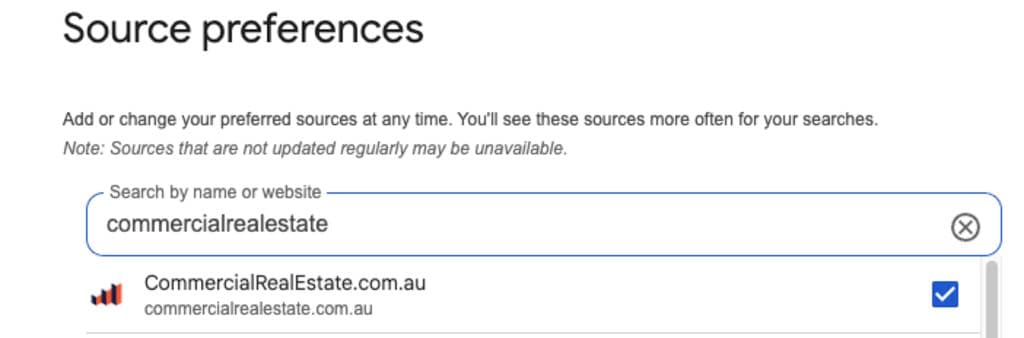
- Click this direct link
- Tick the box next to commercialrealestate.com.au to add CRE
- Note: You’ll be nudged to log into your Google account if you’re not already signed in. Do this
- Try your next Google search, changes will take hold immediately
Method 2: Add CRE via the star icon
- Do a Google search
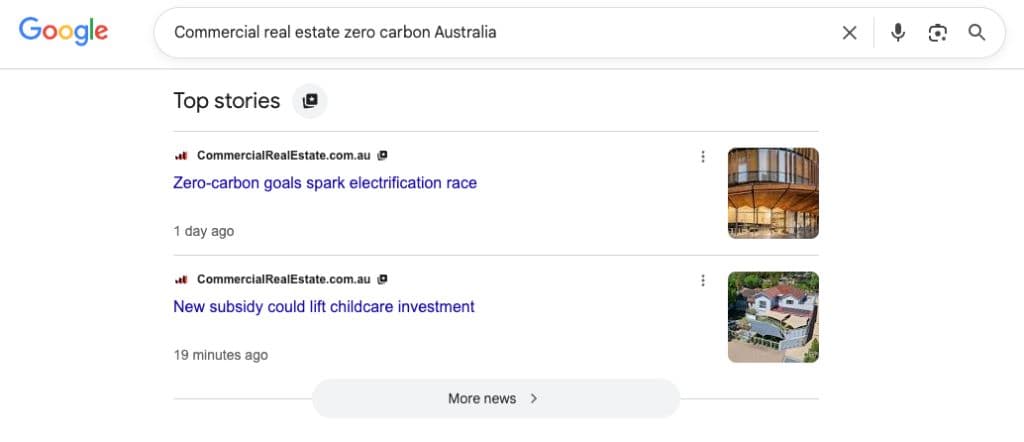
- Scroll down to find the “Top stories” results (note: some searches don’t bring this section up as it’s not deemed newsworthy enough by Google’s algorithms, so continue with another search until you see it)
- Click the icon to the right of “Top stories”
- Select https://www.commercialrealestate.com.au/ as a preferred source. This will then apply to future Google searches and can be used to add more trusted sources.
- Reload to see new CRE results
Why it’s important to set up your preferred news sources
With Google searches now flooded with AI summaries pushing news and content you trust further down the page, it can be hard work to find what you want.
By personalising your Preferred Sources, Google will do the heavy lifting to boost them.
This means you’ll spot the news, videos and updates from your chosen publishers more often and more prominently in your results.
Where do my Preferred Sources appear?
On both desktop and mobile, Preferred Sources can show up in Google’s “Top stories” results on Google search.
However, more commonly, it appears in a subsection within “Top stories” called “From your sources”.